Why You Should Virtualise Your Fujifilm Frontier SP3000 (And What It Costs)
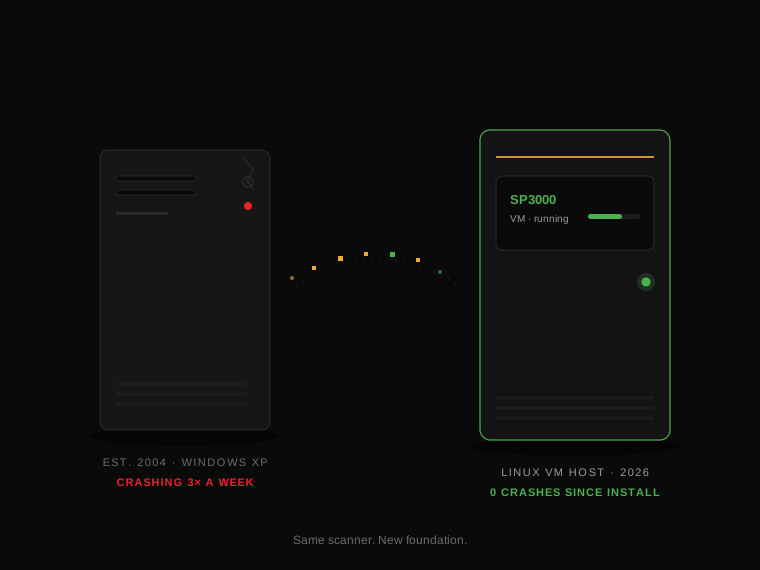
The Fujifilm Frontier SP3000 is, for many labs, still the sweet spot of professional film scanning: fast, compact, and producing results that hold up against machines costing three times as much. There is just one problem — and it isn't the scanner. It's the tired Windows XP computer chained to the back of it.
At Fotronix we've virtualised SP3000s for labs across Europe and beyond, and the conversation is almost always the same. The lab loves the scanner. The lab is terrified of the PC. This article explains what virtualisation actually is, what it costs, and what labs see afterwards — so you can decide whether it's right for your lab.
The problem: a twenty-year-old PC is holding your scanner hostage
Your SP3000's control software was designed for the computing world of the early 2000s. It needs Windows XP, specific legacy hardware interfaces, and drivers that were last updated when MySpace was popular. Microsoft stopped supporting Windows XP in April 2014 — more than a decade ago. No security patches, no driver updates, no new hardware compatibility.
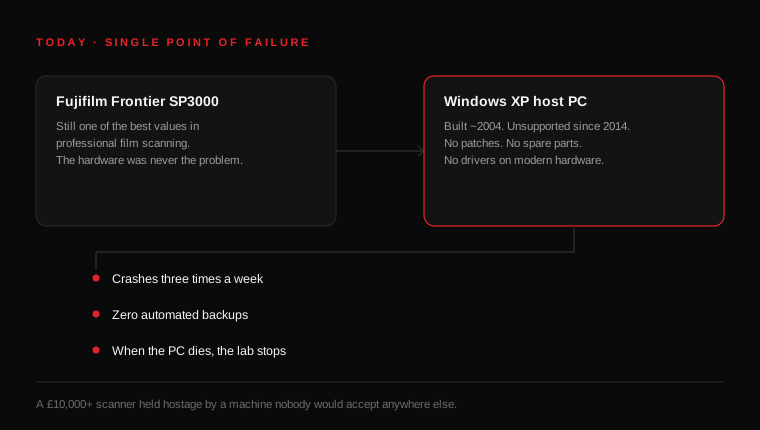
The consequences are predictable. The typical SP3000 host PC we see is crashing multiple times a week, has never had an automated backup, and depends on capacitors and hard drives that failed their design-life years ago. When that PC finally dies, your scanner — a machine you may have paid £10,000 or more for — becomes furniture until someone can perform minor miracles on obsolete hardware.
What virtualisation actually means (in plain English)
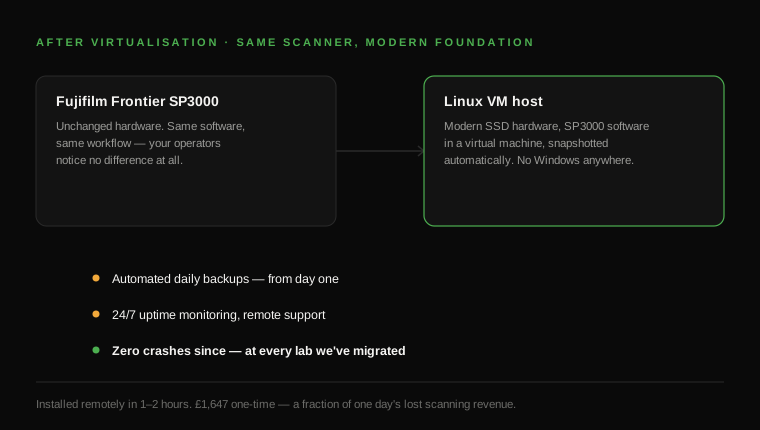
Virtualisation sounds like jargon, but the idea is simple. We take the SP3000's control software and move it out of the ageing physical PC into a virtual machine — a software 'container' for a complete computer — running on a modern, reliable Linux host. The scanner behaves exactly as it always did. Your operators use the same software, the same buttons, the same workflow. Nothing about how your lab runs day to day changes.
What changes is everything underneath. The machine is modern and monitored. The operating system is Linux — no Windows XP. The virtual machine is snapshotted automatically, so if anything ever goes wrong, we restore in minutes instead of days. And because the host is connected to the network, we can monitor it and support it remotely without anyone touching your lab.
What it costs — and what it saves
Our SP3000 virtualisation service is a one-time fee of £1,647 (including the host hardware), with SP500 compatibility and no ongoing licence costs. To put that in perspective:
- A single day of lost scanning during an outage typically costs a busy lab more than the entire installation.
- A replacement production scanner costs £8,000–£15,000 — if you can find one.
- Data recovery from a dead XP machine, when it's possible at all, starts in the hundreds and ends in the thousands.
- Every crash during a customer's rush job is reputation you don't get back.
How the installation works
- 1. We ship the pre-configured host system to your lab — nothing leaves your premises.
- 2. You book an installation slot that suits your schedule.
- 3. We connect remotely and migrate the scanner's control software onto the host — typically 1–2 hours, with zero scanner downtime.
- 4. Automated daily backups and 24/7 monitoring start immediately. You get on with scanning.
What labs actually see afterwards
Analoog Studio Arnhem's SP3000 was crashing three times a week on its original XP hardware. Since we installed their dedicated host in an afternoon, it hasn't gone down once — and their scan capacity grew eightfold. Mori Film Lab in Belgium expanded to a fleet of SP500 units without adding in-house IT headcount. Across more than 50 labs in 23 countries, the pattern holds: the crashes stop, and they stay stopped.
Does virtualisation work with the SP500 too?
Yes — the same service covers the Fujifilm SP500, and we can run multiple scanner VMs on a single host if your lab operates several machines.
Do I have to ship my scanner anywhere?
No. The host system is shipped to you, and installation happens entirely remotely. Your scanner never leaves your lab.
What if something goes wrong afterwards?
Remote monitoring catches most issues before they affect you, and support is included with every installation. If anything ever needs attention, we're already connected.
If your SP3000 is still running on its original XP machine, the honest answer is that it's a matter of when — not whether — that PC fails. A consultation costs nothing, and we'll tell you straight whether virtualisation is the right first move for your lab.
Want this for your lab?
Book a consultation and we'll tell you honestly what's worth doing first.
Book a consultation